

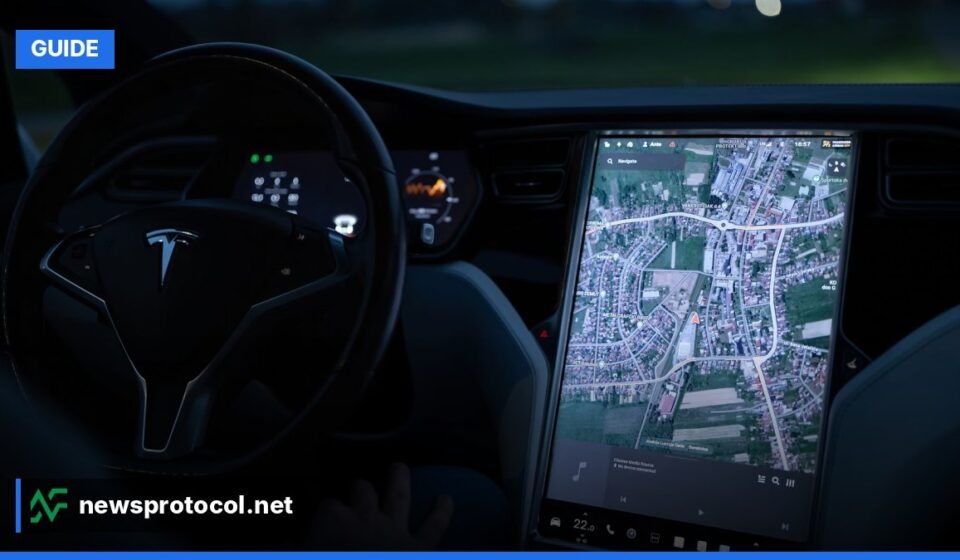

Tesla’s self‑drive guide explains how to activate and safely operate Autopilot and Full Self‑Driving (FSD) on any current Tesla model.
Key Facts
- Autopilot is standard on all 2024‑2026 Tesla models and includes Traffic‑Aware Cruise Control and Autosteer.
- Full Self‑Driving adds Navigate on Autopilot, Automatic Lane Changes, Autopark, Summon and City‑Streets Autosteer (beta as of October 2024).
- Both systems require driver supervision; hands‑on‑wheel detection disengages the feature after a series of warnings.
What Is Autopilot and How Does It Differ From Full Self‑Driving?
Autopilot is the baseline driver‑assistance suite that ships with every new Tesla. It provides Traffic‑Aware Cruise Control (maintains speed and distance) and Autosteer (keeps the car centered in a clearly marked lane).Park(ing) Day
Full Self‑Driving (FSD) is an optional upgrade that builds on Autopilot. FSD adds Navigate on Autopilot (highway‑level routing), Automatic Lane Changes, Autopark, Summon, Traffic Light & Stop Sign Control, and the beta City‑Streets Autosteer feature for urban environments.Park(ing) Day
How to Enable Autopilot on Your Tesla
Activating Autopilot is quick, but you must be on a road with clear lane markings and a defined speed limit.
- Press the gear‑selector stalk down twice in rapid succession. The speedometer icon appears on the touchscreen.
- Set your desired speed using the right scroll wheel on the steering wheel.
- Adjust following distance by rotating the same wheel left (closer) or right (farther).
- Ensure Traffic‑Aware Cruise Control is active; Autosteer will not engage otherwise.
- Press the stalk down twice again. The steering‑wheel icon turns blue, confirming Autosteer is active.
- Keep at least one hand on the wheel. The system monitors torque on the steering column and will issue warnings if it detects inactivity.
To disengage Autopilot, move the stalk up or down once, or apply a noticeable steering input. Autosteer may disengage while Cruise Control remains active.
How to Activate Full Self‑Driving (FSD)
FSD requires the purchased upgrade to be active in your Tesla account.
- Open Controls > Autopilot > Full Self‑Driving Capability (Beta) and accept the disclaimer.
- Set a navigation destination in the main navigation screen.
- Engage Autopilot as described above. If the route supports it, a “Navigate on Autopilot” prompt appears.
- Confirm the prompt on the touchscreen. The car will now handle highway on‑ramps, off‑ramps and lane changes automatically.
- For city driving, select “Autosteer City Streets” after the prompt. The vehicle will follow the navigation route through urban streets, handling intersections, traffic lights and stop signs.
Because FSD remains a beta program, features may change with software updates. Always verify the latest capabilities in the official guide
Safety Precautions and Best Practices
Even though the term “self‑drive” suggests autonomy, Tesla emphasizes active driver supervision.
- Maintain Situational Awareness: Keep eyes on the road and be ready to intervene.
- Hands‑On‑Wheel Requirement: The system monitors torque; prolonged inactivity triggers visual and audible alerts, then disengagement.
- Road Suitability: Avoid using Autopilot or FSD on roads with faded lane markings, heavy construction, or severe weather.
- Software Updates: Install every over‑the‑air update; they often contain safety improvements.
- Report Anomalies: Use the voice command “Report” followed by a description to send data to Tesla engineers.
Common Limitations You Should Know
Understanding where the technology falls short helps prevent misuse.
| Scenario | Typical Behavior | Recommended Action |
|---|---|---|
| Heavy rain or snow | Sensor glare may cause erratic braking or lane‑keeping errors. | Disable Autopilot/FSD and drive manually. |
| Unusual road markings | System may misinterpret lane boundaries. | Keep hands on wheel and be prepared to steer. |
| Complex intersections | FSD may pause or request driver confirmation. | Take control well before the intersection. |
| Phantom braking | Unexpected brake application without clear obstacle. | Maintain a safe following distance and stay alert. |
Step‑by‑Step Quick Reference
- Verify you have the appropriate package (Autopilot standard, FSD optional).
- Update software via Controls > Software
- Enable the feature in Controls > Autopilot settings.
- Engage Traffic‑Aware Cruise Control with the stalk.
- Activate Autosteer (second stalk pull).
- For FSD, confirm “Navigate on Autopilot” or “Autosteer City Streets” when prompted.
- Monitor the system continuously; be ready to intervene.
FAQ
What happens if I keep my hands off the wheel while Autopilot is active?
The car issues visual and audible warnings; continued inattention leads to disengagement and a temporary lockout from re‑engaging the feature.
Can I use Autopilot or FSD in rain or snow?
Performance degrades in adverse weather. Heavy precipitation can impair cameras, so it is safest to switch to manual control.
How does Tesla handle traffic lights and stop signs?
With the FSD package, the vehicle can recognize and stop at traffic lights and stop signs, but the driver must stay vigilant and be prepared to take over.
What is “phantom braking”?
Phantom braking occurs when the system applies the brakes without a visible obstacle, often due to sensor misinterpretation of road markings.
Does purchasing FSD guarantee full autonomy?
No. FSD provides the current suite of driver‑assist features and remains a beta assist system that requires active supervision.
How can I report a problem with Autopilot or FSD?
Use the voice command “Report” followed by a description; the car records data for Tesla’s engineers.
What is the difference between “Navigate on Autopilot” and “Autosteer City Streets”?
Navigate on Autopilot is designed for highways, handling ramps and lane changes, while Autosteer City Streets extends similar functionality to urban streets and residential areas.
For a deeper look at Tesla’s vehicle lineup, see our Tesla Model Examples guideFor pricing details, refer to the Tesla Cost New Model guideAdditional safety insights are available in the Tesla Reviews Google guide
Sources: Tesla, Inc. – Wikipedia – Park(ing) Day – How to Use Tesla’s Self‑Driving FeatureUpdated: November 6, 2026.